How it works
Set up once. Start talking. It keeps up with your child.
You do not need to be technical, and you do not need a clinician to get started. Here is the whole journey in three steps.
A short, easy setup
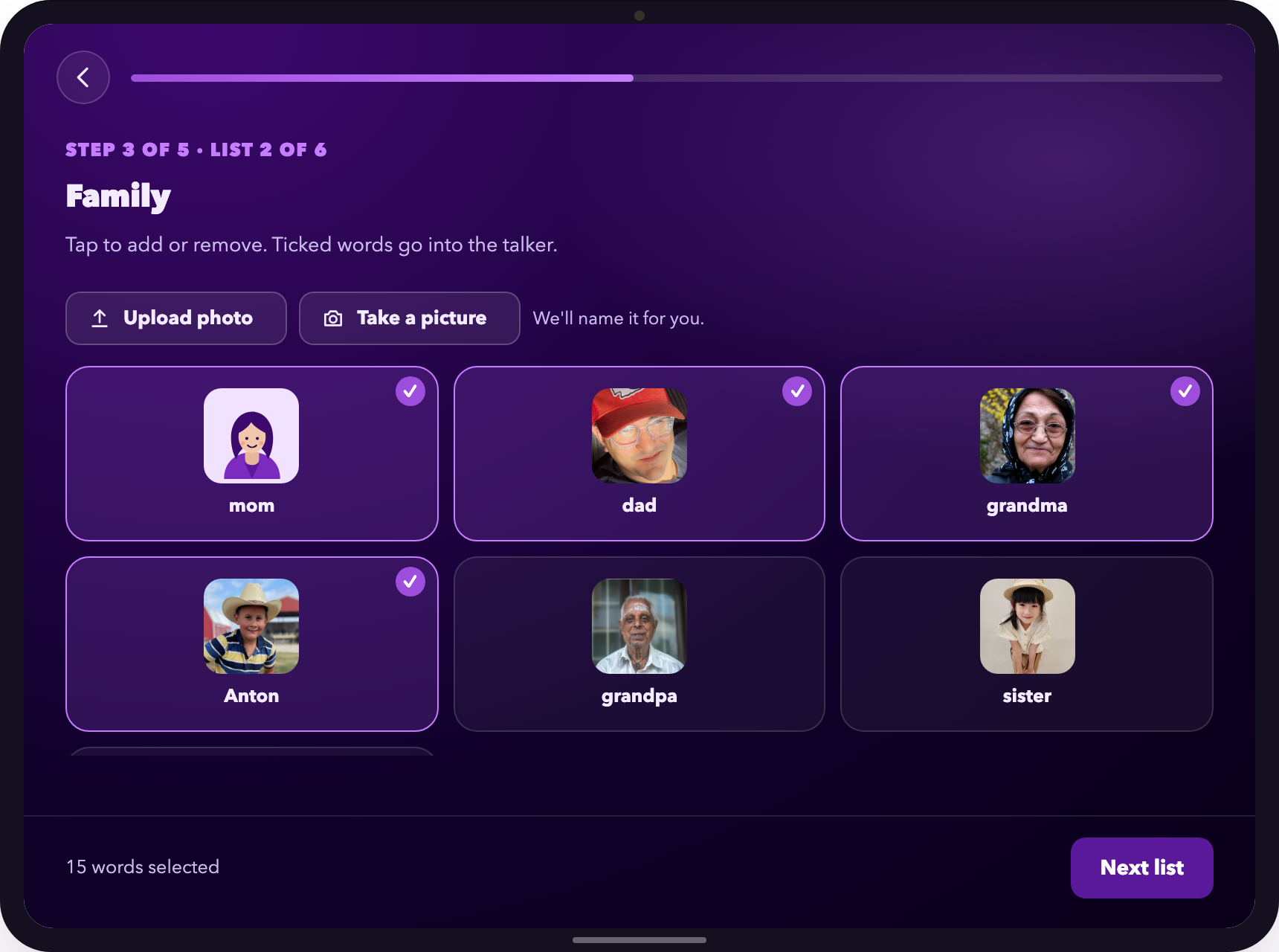
Tell us about your child in your own words, typed or spoken. We build the profile, then you tick what is part of their life.
- A short description, not a blank grid
- Checklists with the likely answers already ticked
- Starter words chosen for where they are with talking
- Change anything later
Start talking right away
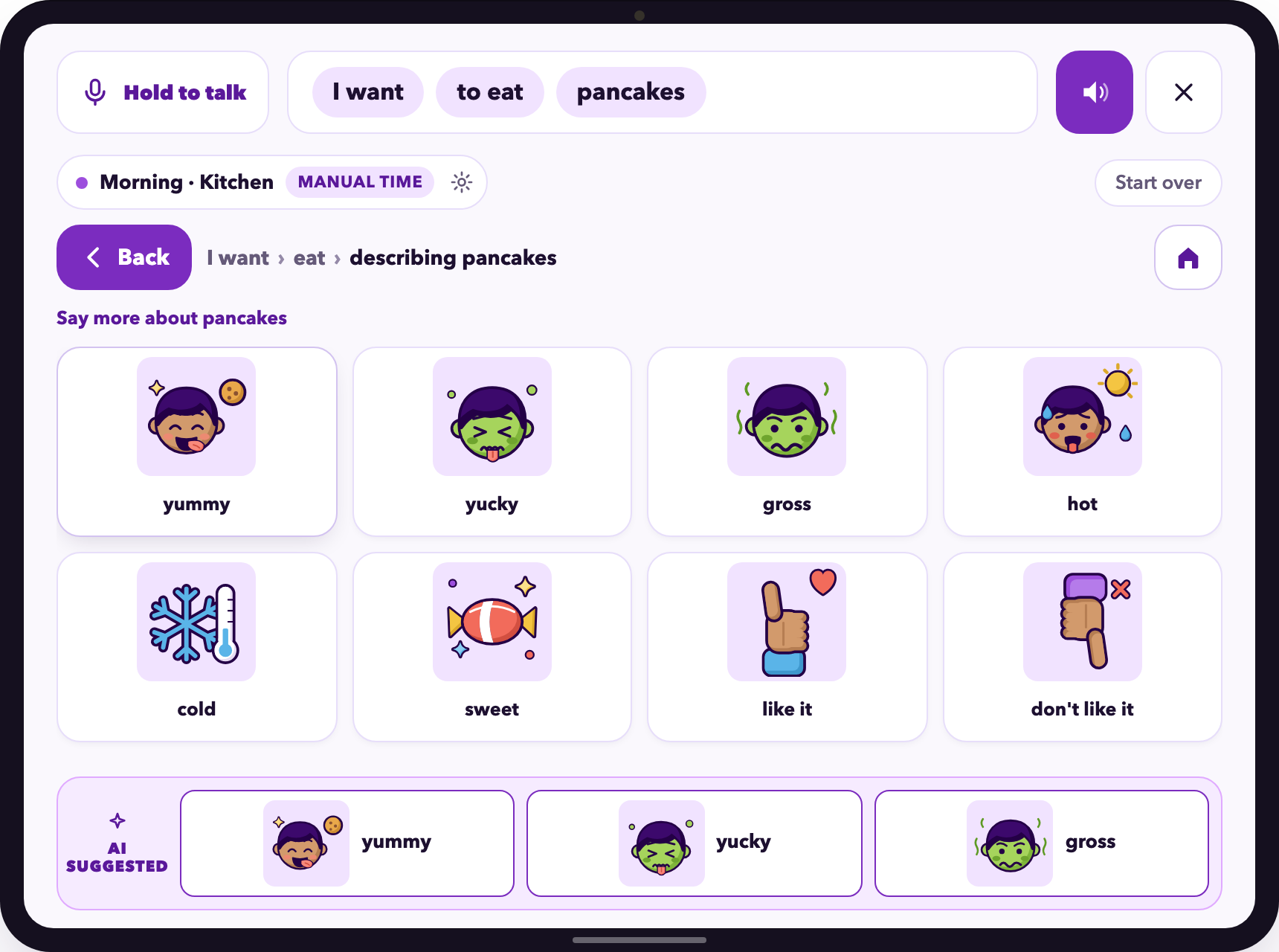
Your child taps a tile and the talker speaks. Tapping a word like "I want" shows the words that usually come next, so a sentence takes fewer taps.
- Words change with the time of day and where your child is
- Likely next words appear the moment a tile is tapped
- Simple enough for a teacher or babysitter to use without training
It keeps getting better for your child
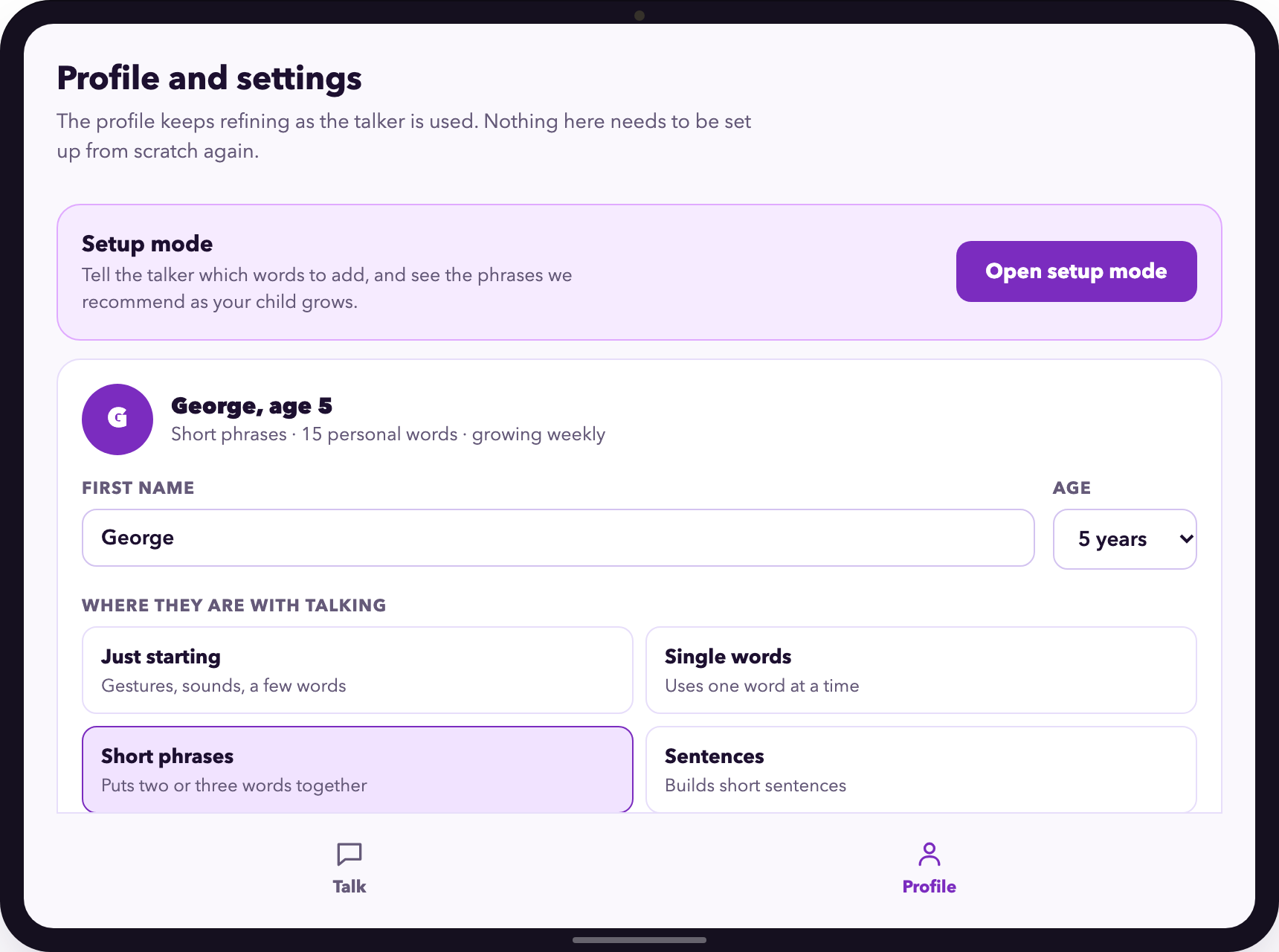
This is the part most talkers skip. As your child uses the talker, it pays attention to which words and paths matter, and keeps the library fitting.
- Favorite words move closer to the front
- Tips change as your child grows
- You stay in charge of what gets added
When you lead the conversation
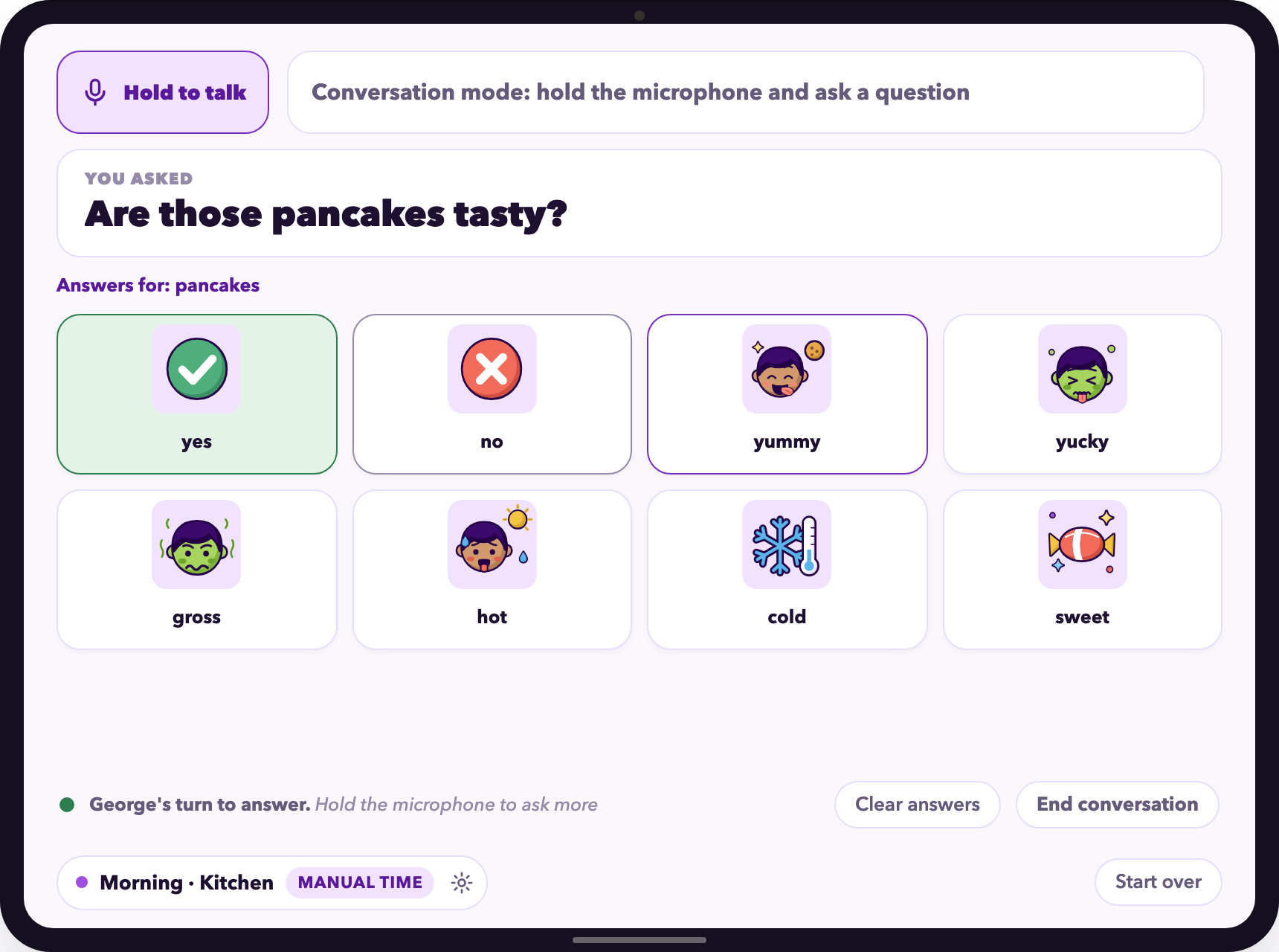
Tap the microphone at the top left to open Conversation mode. Hold it and ask your child a question out loud: the screen listens and shows your words as you speak, and when you let go, your question moves to the top and answer tiles for it fill the screen. Your child replies with a tap, and the talker says it. Tap the microphone again to go back to the talker.
- It listens only while you hold the microphone
- Questions with a yes or no answer show Yes and No in the same spot every time
- Choices, feelings, people and places each bring their own tiles
- Heard on the iPad and matched by simple rules. Nothing is recorded or sent anywhere
The feedback loop
How the talker learns, in four moves
A loop that runs quietly in the background, with you making the final call.
Your child talks
Every tap is a small signal about which words and paths matter to them.
The talker adapts
Words used often and recently move closer to the front. This happens on the iPad.
It suggests changes
New words to add, with the reason, based on how your child actually uses the talker.
Later releaseYou decide
Approve or skip each suggestion. Nothing is added silently.
Later releaseIn the first release, move 2 is live: the More page and one-tap shortcuts learn from the sentences your child builds, by time and place, while core words and folders never move. Suggested words (moves 3 and 4) arrive in a later release. The profile screenshot above is a scripted preview of that screen, not a trained model.
Who does what
You steer. The talker does the legwork.
What you do
- Pick the words that are part of your child's day
- Add your own photos for people and things that matter
- Approve or skip suggestions as they arrive
- Hand the iPad to a teacher or sitter, no training needed
What the talker does
- Builds a starting vocabulary from your checklist
- Shows the right words for the time and place
- Offers likely next words after each tap
- Keeps your child's data and photos on the iPad
See every screen
The preview walks through onboarding, the talker, and the profile, with links into the live prototype.
Open the preview